SW 512
MidTerm,
Overview
The goal of the midterms test is to develop a working Instant Messenger application. You can think of two major components, the server and the client. For development you will run create two projects in a single solution, one for a server and another for a client.
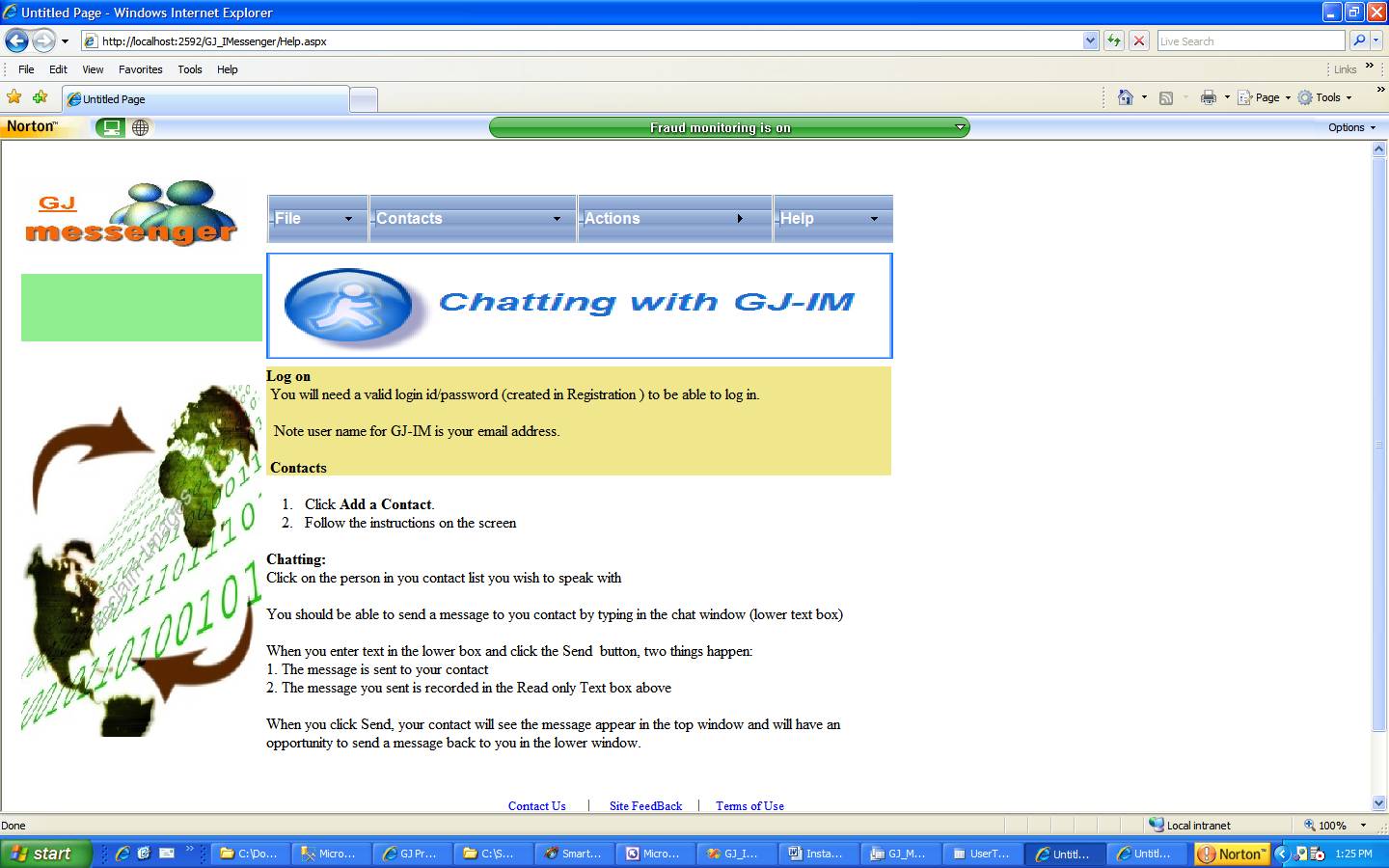
The client is a web application with the screens shown in the document.
You will also need a database to store user registrations, use Access
To further simplify the application, you can use two instantiation of the client application to simulate two people conversing.
A way to pass conversation from contact 1 to contact 2 can be accomplished by using a common file or database table. The web page seen by both contacts can be reloaded every few seconds to show the data to each other. Otherwise you are free to use sockets
The other option is to store a collection of message objects in a list and display it in a list box. The question is how is the list box refreshed and how frequently
The application is similar to any web chat program. I have scaled down several features. What I need to see is Registration, Adding Contacts and Chatting with Contacts.
Expected artifacts
On a CD,
1. Visual Studio project files, please comment you code
2. Screen shots
3. Database
4. A design document showing the classes you have created, their
interaction with other classes and interaction with the database
5. I need to know the resources you have
used – which site, book etc.
Please do not copy code directly
Deadline for submission:
04 April 07
Resources:
http://www.codeproject.com/aspnet/AliAspNetChat.asp - has some good ideas
http://www.4guysfromrolla.com/webtech/032200-1.shtml - in asp , again good ideas
The following are the
screens you will need:
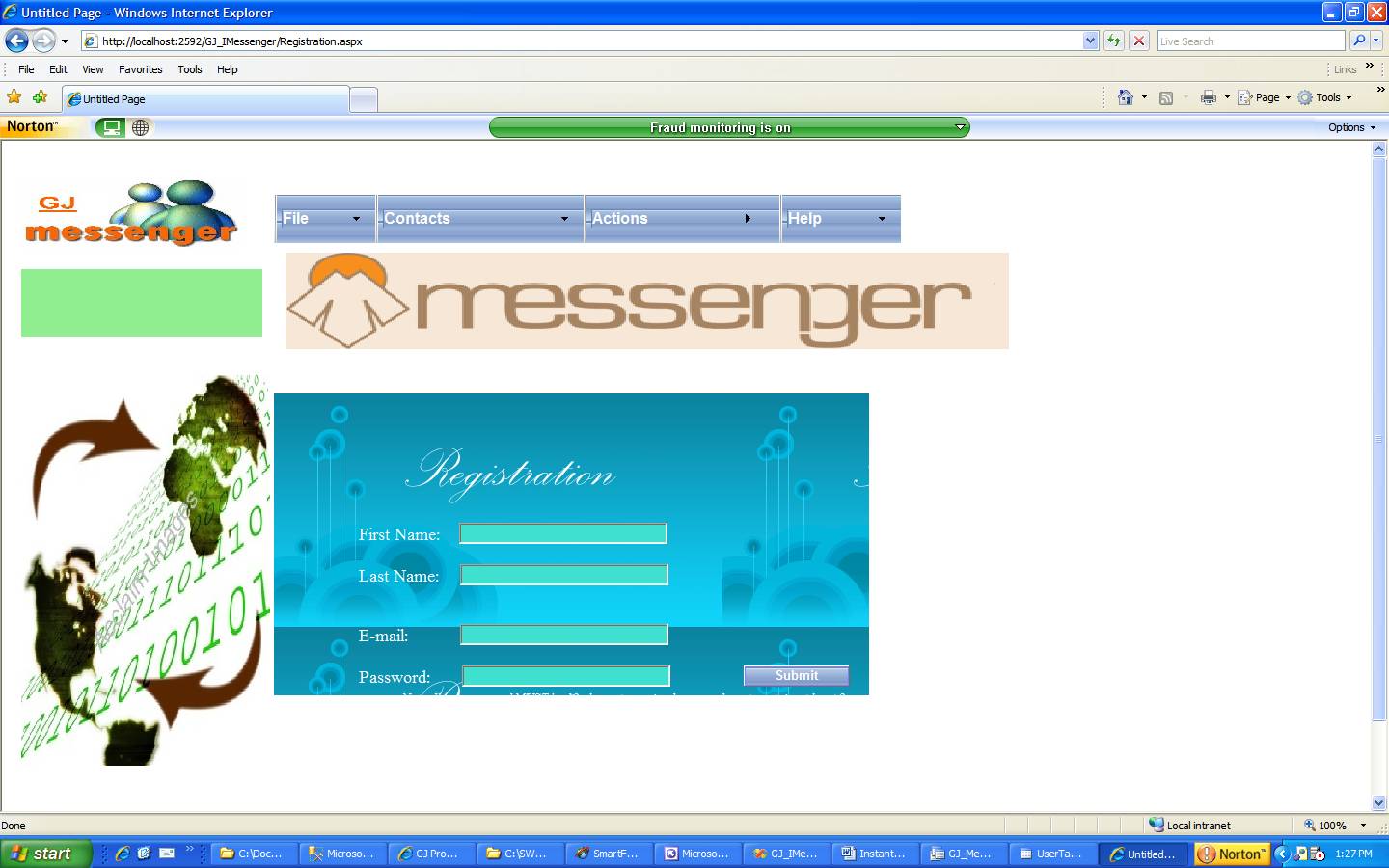
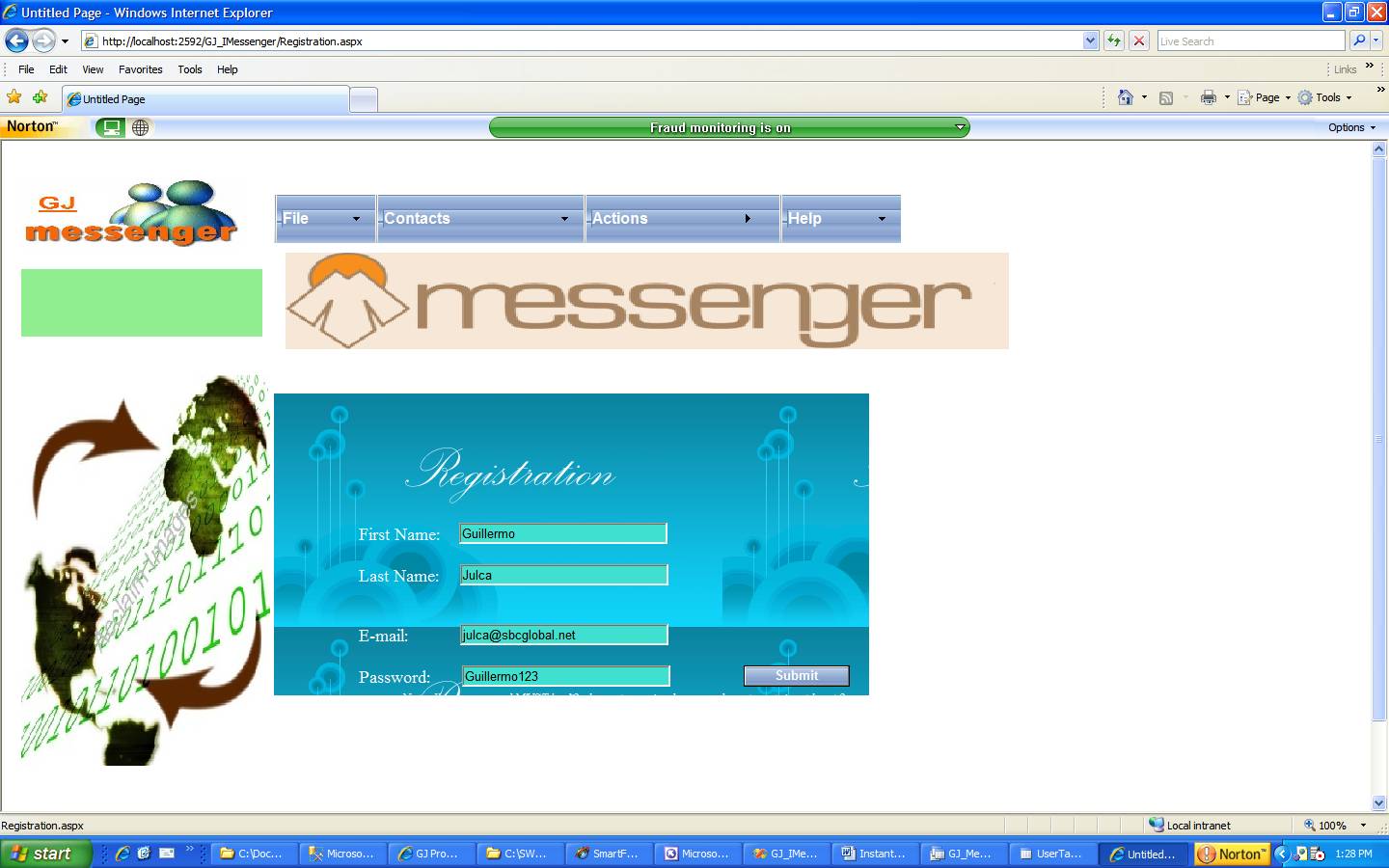
Registration
You will need an access database to store contacts:
Note Information should be stored in an Access database, the following are required and need to be validated using validation controls:
First Name
Last Name
Email address
Password ( 12 characters, mixed case, must contain atleast 2 numbers)
Click OK to save to the database
When Saving to the database, write to contacts table
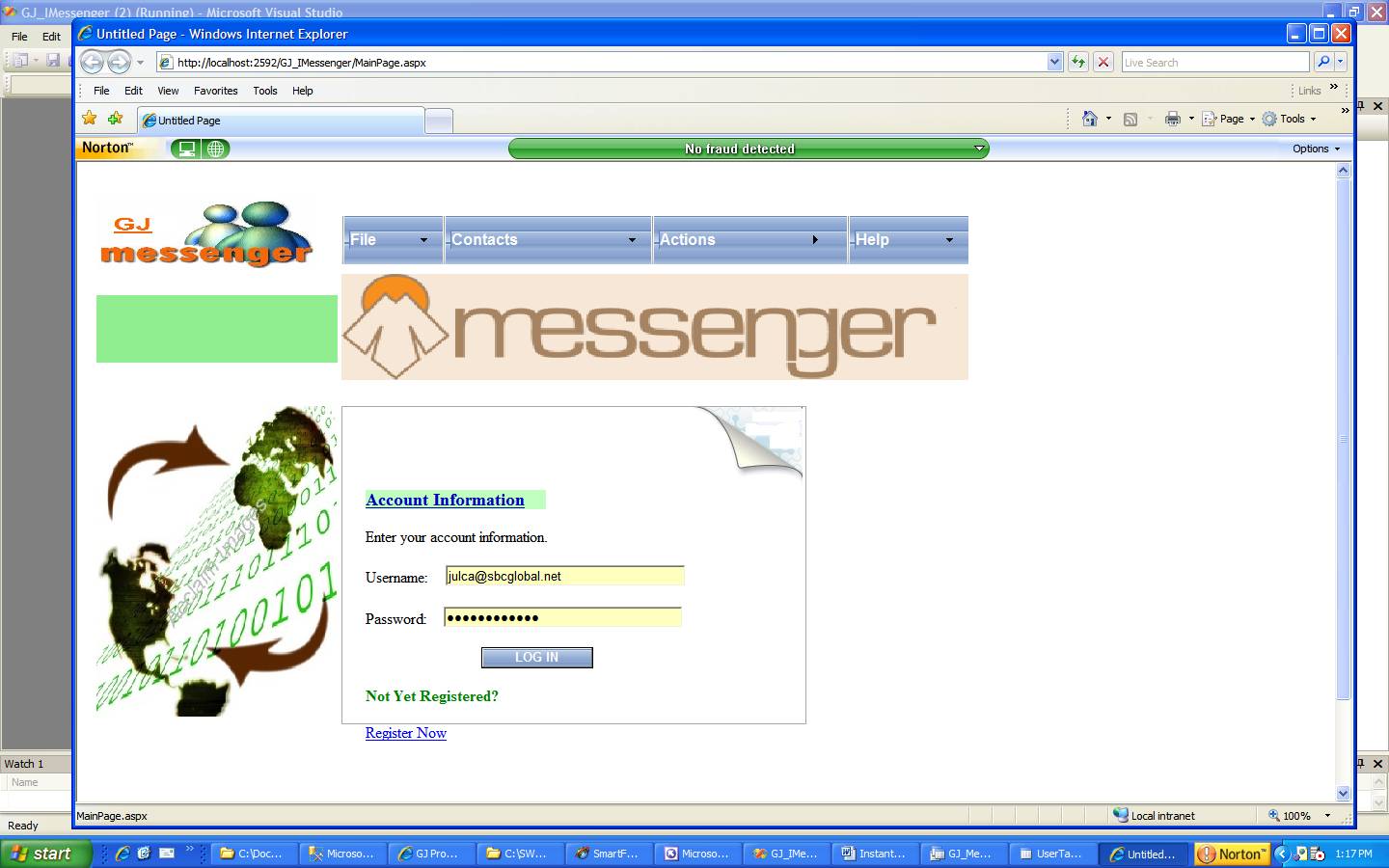
Note user name for IM is email address
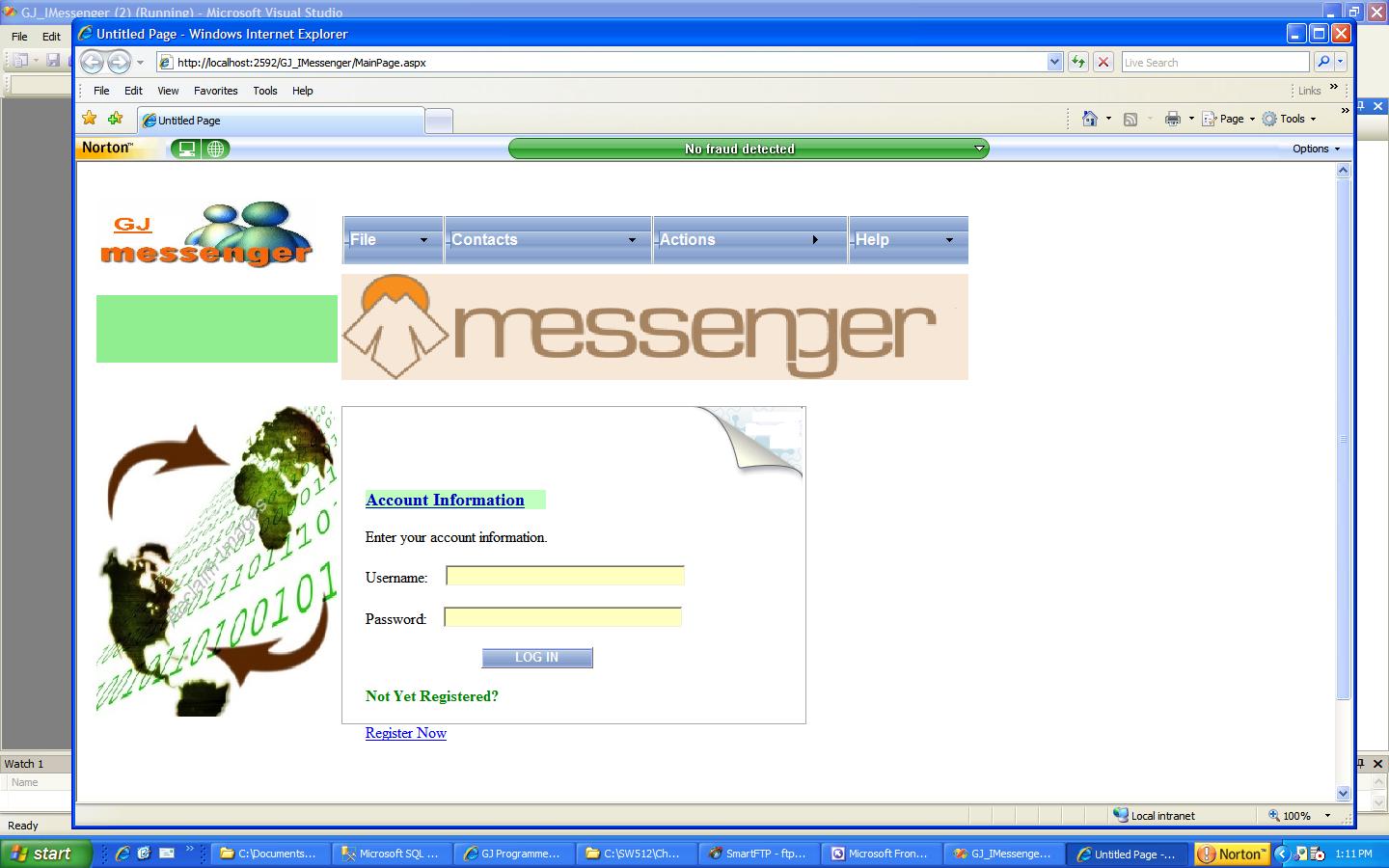
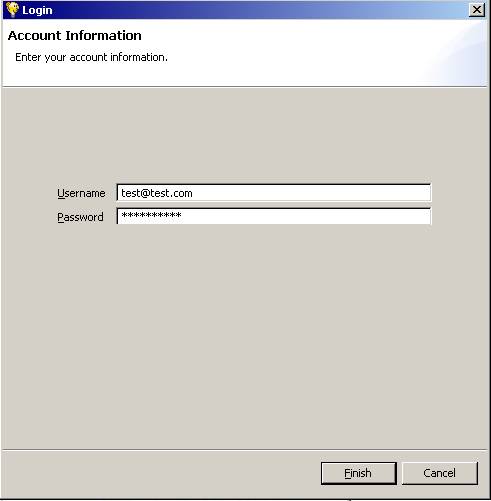
Log on:
Pre Condition: Need a valid login id/password (created in Registration ) to be able to log in:
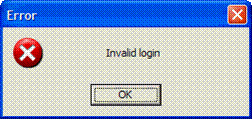
If user id/password does not match what is stored in the database, show a separate screen for error. Note, this can be a pop up dialog as well
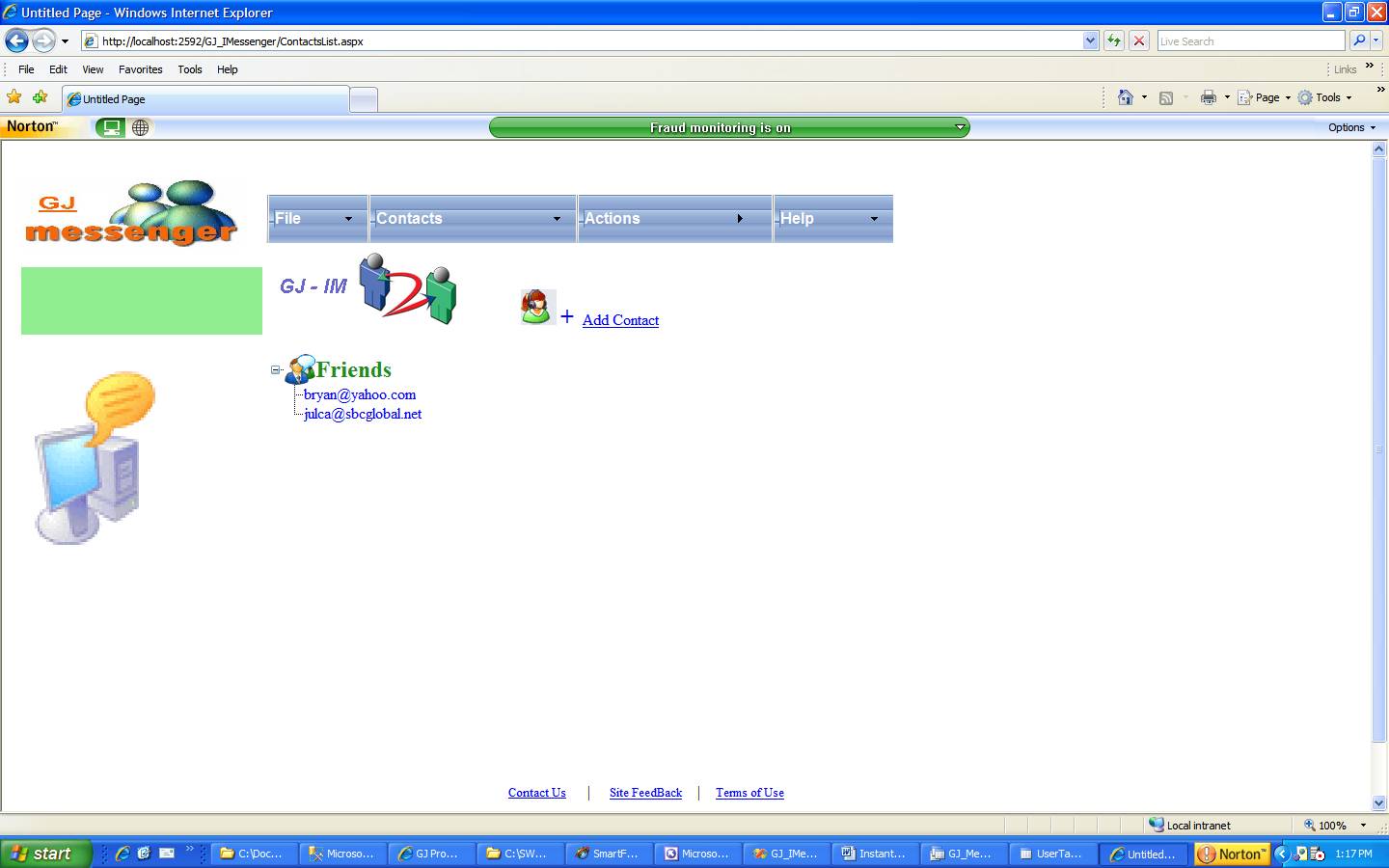
If login is correct, proceed to next screen:
Contacts
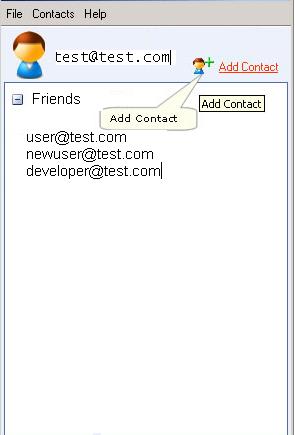
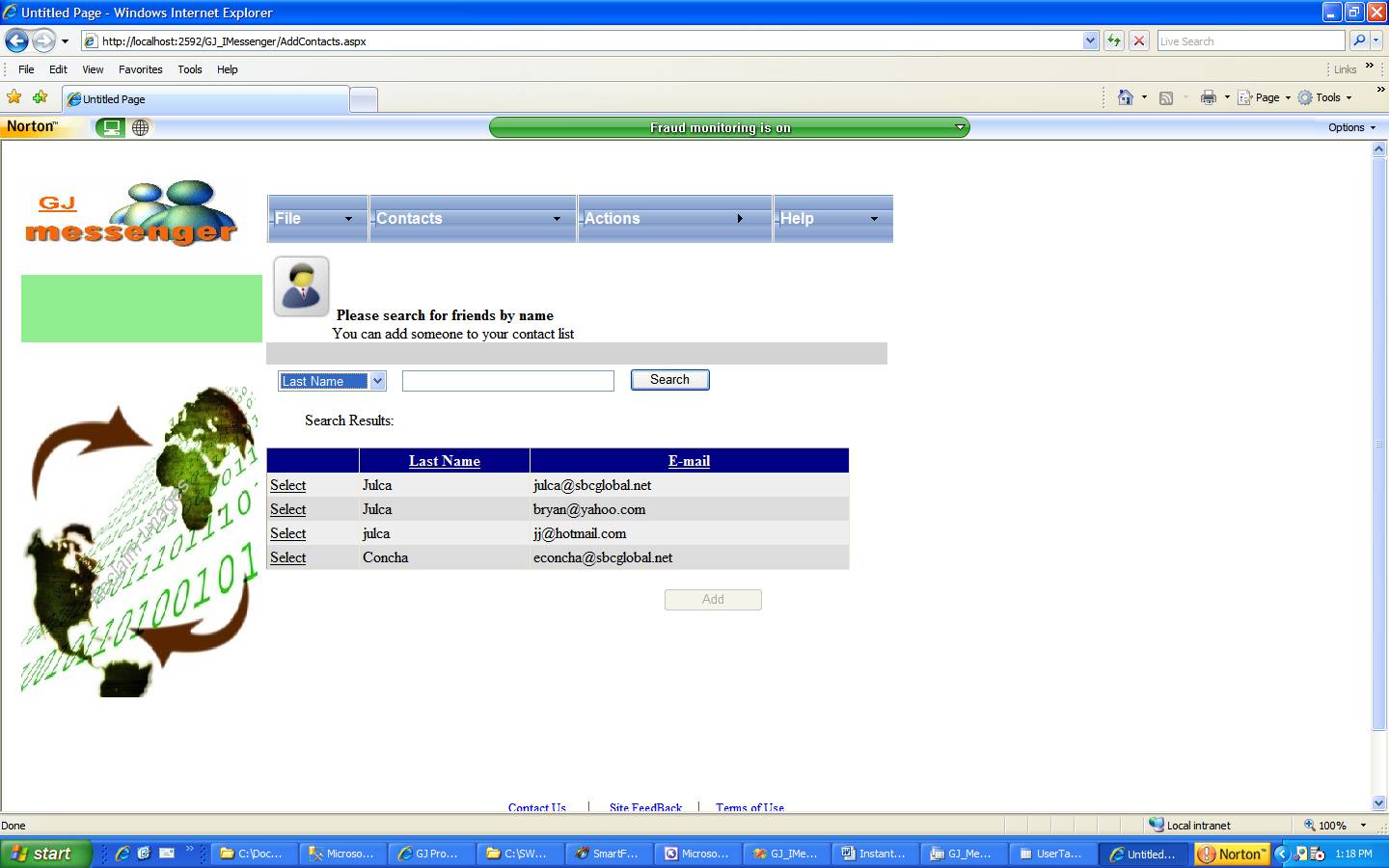
Clicking on Add contact brings up:
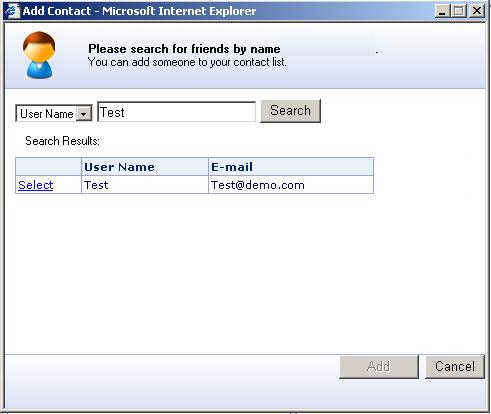
Note:
- Click Add a Contact.
- Follow the instructions on the screen
You do not have to worry about removing contacts.
Conditions
You can only add people to your contact list whose username exists in the database table.
Chatting:
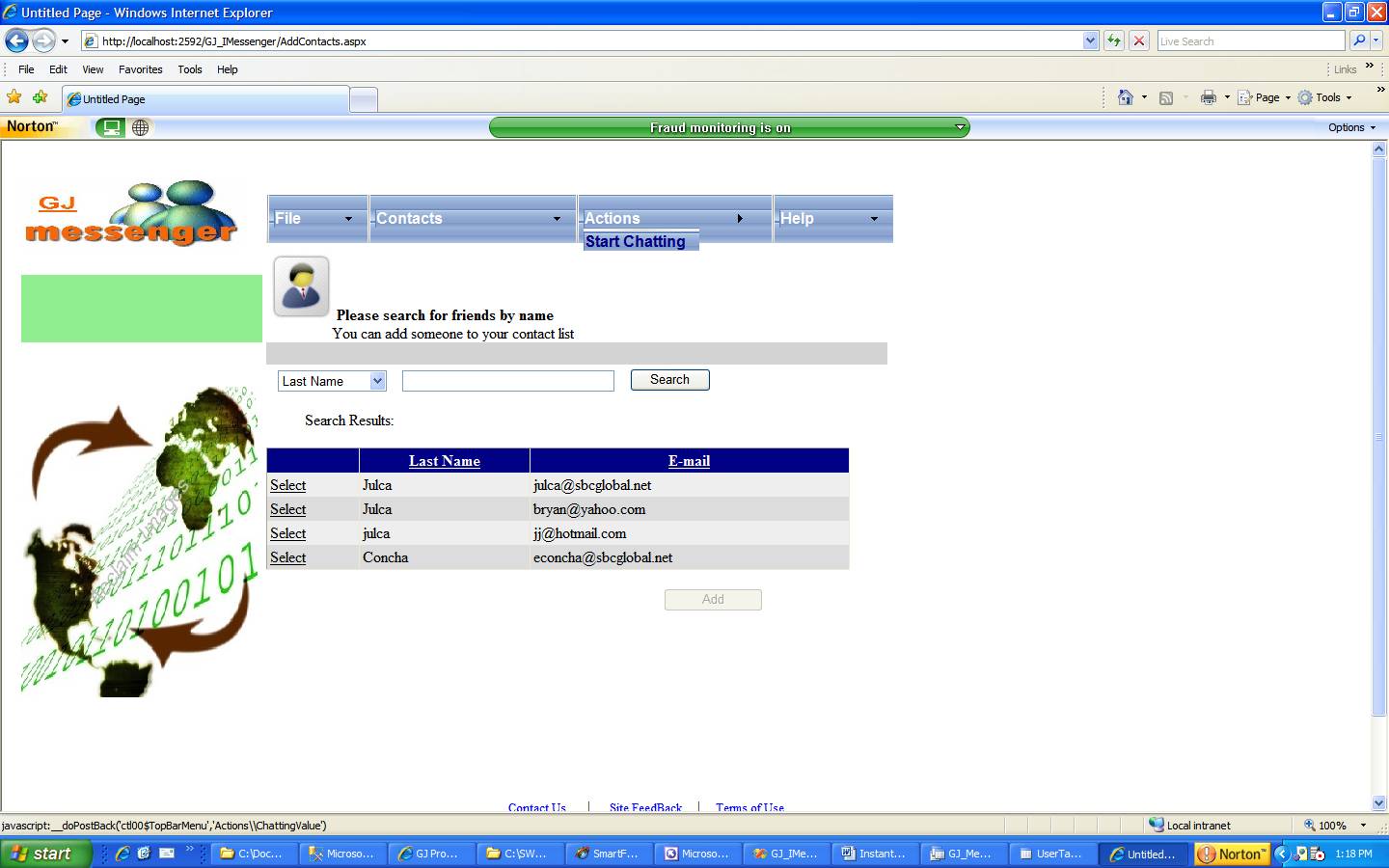
Click on the person in you contact list you wish to speak with as shown below
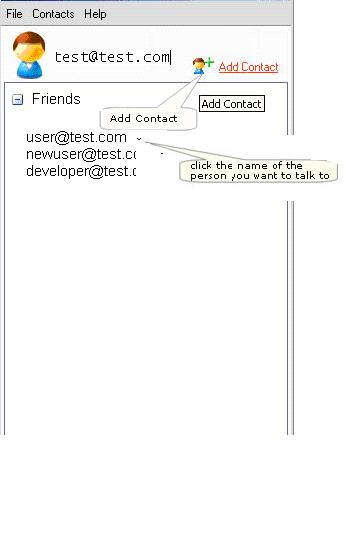
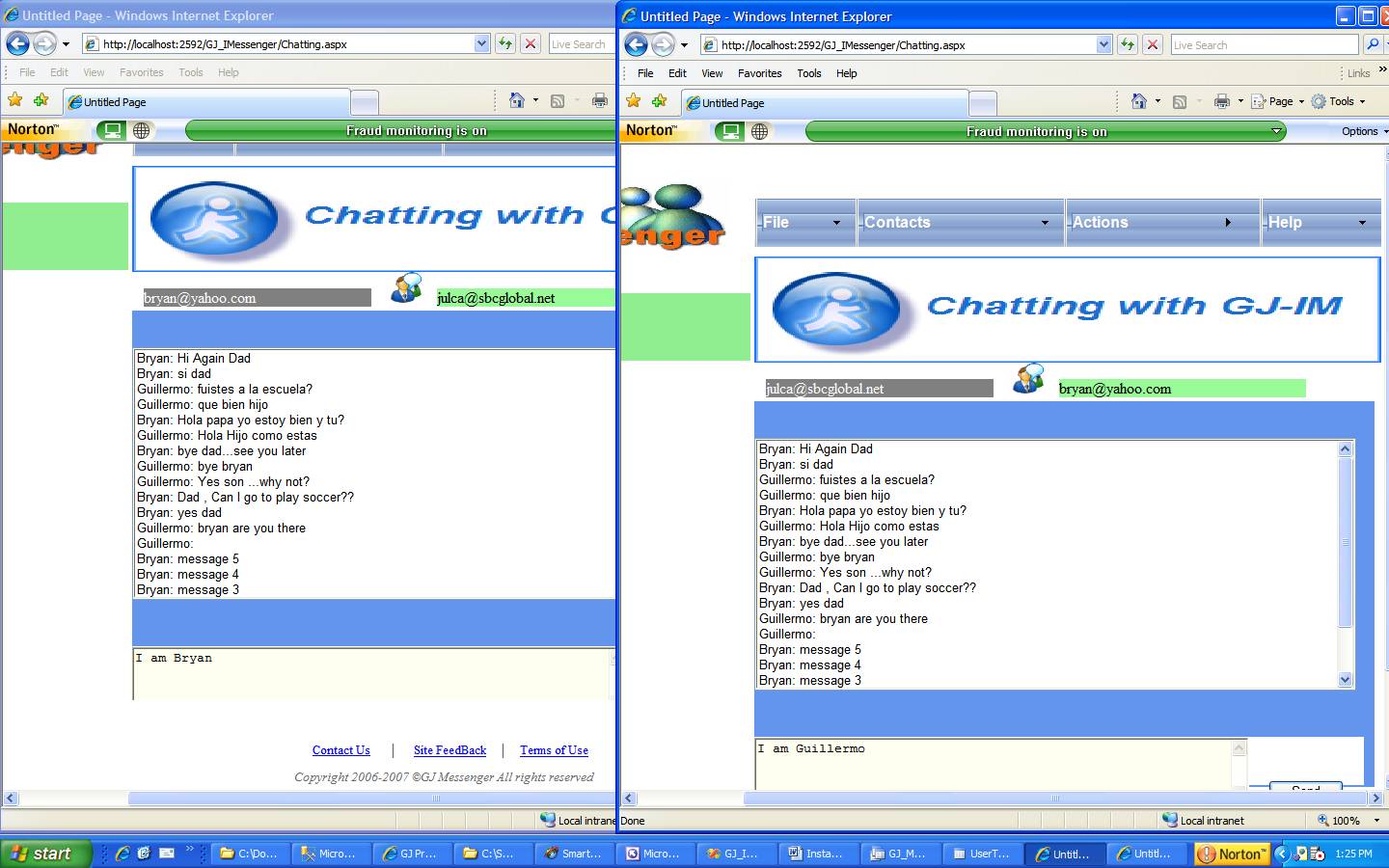
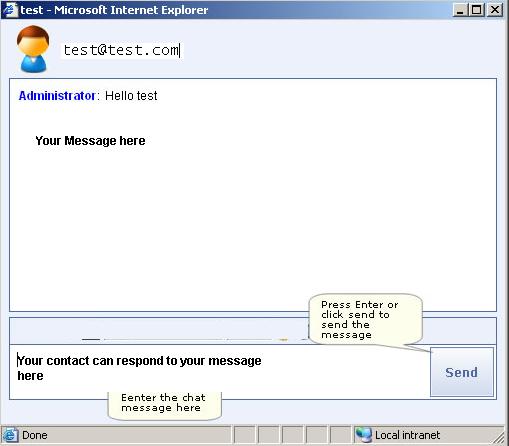
This will pop up a form like below
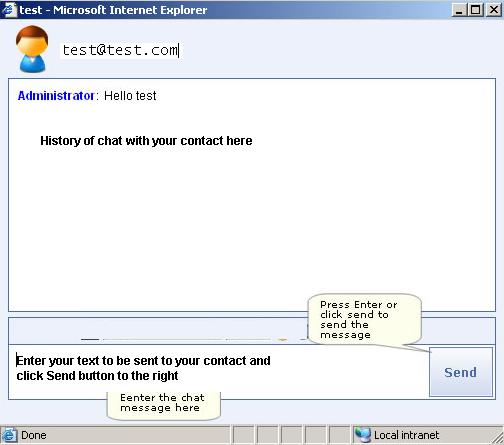
You should be able to send a message to you contact by typing in the chat window (lower text box)
When you enter text in the lower box and click the Send button, two things happen:
1. The message is sent to your contact
2. The message you sent is recorded in the Read only Text box above
When you click Send, your contact will see the message appear in the top window and will have an opportunity to send a message back to you in the lower window
To Test the application you need to create at lease two contacts on the database table.
You will also have to have two sessions open in two separate browser window simulating your self and your contact
You need to think of a Message as a Class, a Contact as a class
You need to write some code to read/write contacts to the database
Then, most importantly, you need to think of a way to get your message to your contact and vice-versa.
Your Desktop running .Net Your Contact’s browser Your Browser